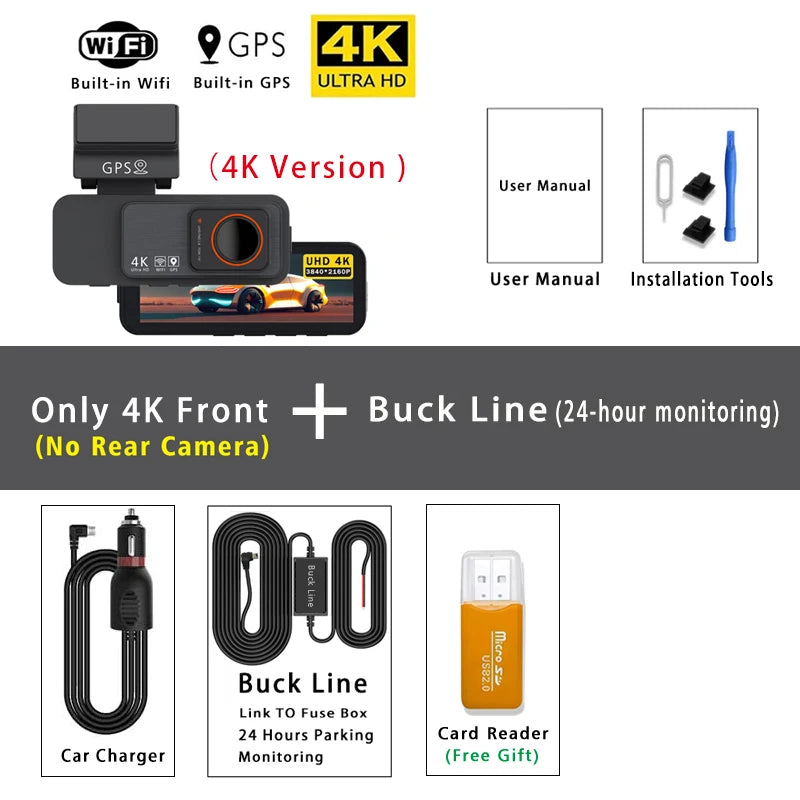
-
APP Compatibility: Viidure
-
Assembly Mode: Portable Recorder
-
Audio Recorded: Yes
-
Battery: Built-In (Super Capacitor)
-
Brand Name: OMGO
-
Built-in Screen: Yes (IPS Display)
-
Camera Resolution: 3840x2160 (UHD 4K)
-
Chipset Manufacturer: HISILICON
-
Frames Per Second: 30
-
GPS Logger: Internal
-
Imaging Sensor: SONY Starvis 2 IMX678
-
Interface: AV-In, USB 2.0, Wi-Fi, Micro SD/TF
-
Is Batteries Included: No
-
Item Type: Car DVR
-
Loop-Cycle Recording Feature: Yes
-
Max External Memory: 512G
-
Memory Card Required Reading Speed: Class 10 (U3 recommended)
-
NightShot Function: Yes
-
Number Of Lenses: 2
-
OSD Language: Arabic, Chinese (Simplified), Czech, Dutch, English, French, German, Hebrew, Italian, Japanese, Korean, Polish, Portuguese, Russian, Spanish, Thai, Vietnamese
-
Origin: Mainland China
-
Original Package: Yes
-
Pixels: 1800Mega
-
Power Source: Corded Electric
-
Rear Camera: Yes (UHD 2.5K 2560x1440P)
-
Front Camera: UHD 4K 3840x2160P
-
Special Features: G-Sensor, Digital Zoom, Motion Detection, SD/MMC card, Rearview Mirror, Built-in GPS, Anti Surge Voltage Impact, Anti Fog, Anti Vibration, Real Time Surveillance, Automatic White Balance, Wide Dynamic Range, Wi-Fi, Parking Monitor, Speed & Coordinates Recording, 3D DNR, External GPS
-
Video Format: TS
-
View Angle: 170°